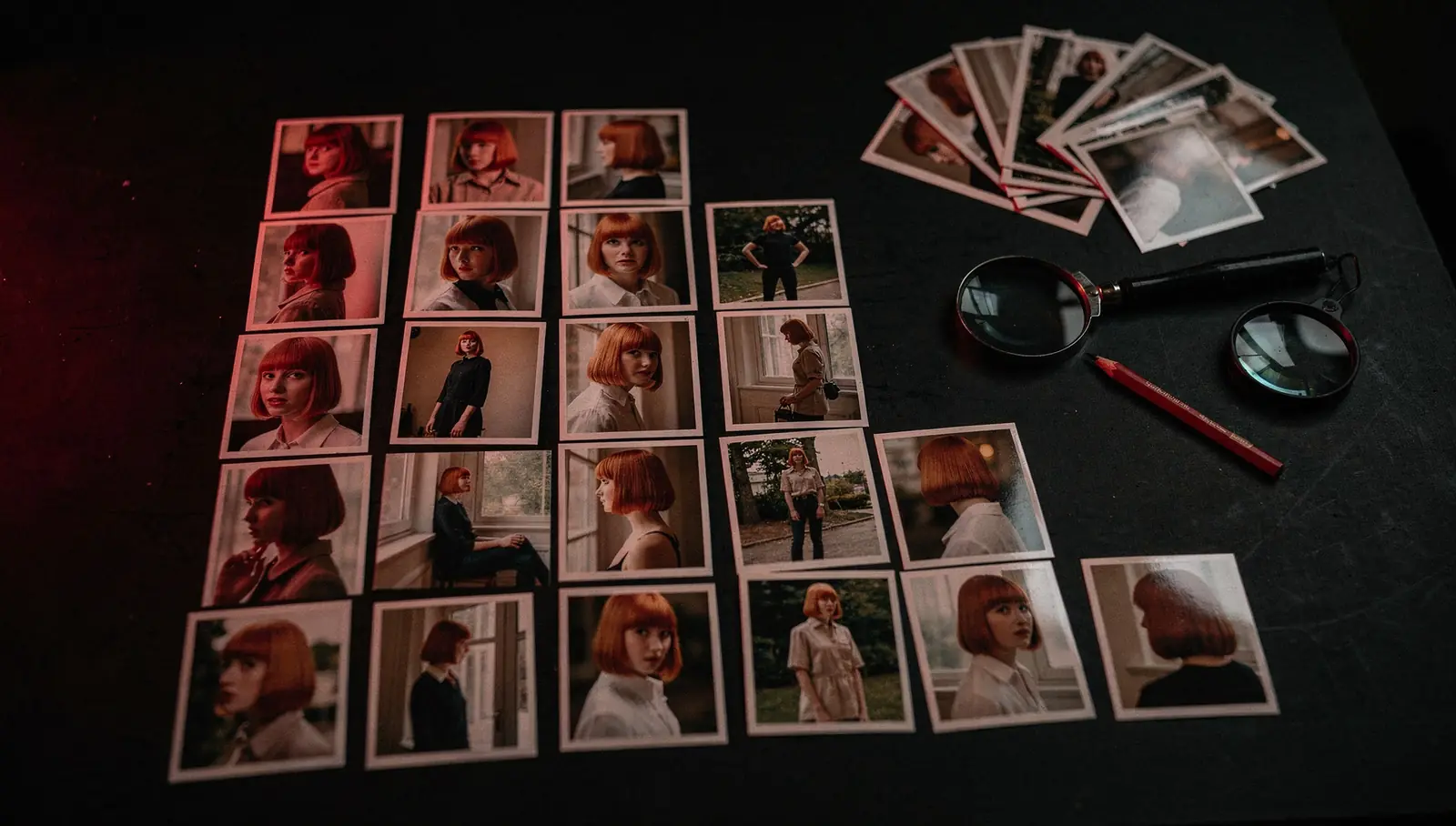
“How many images to train a LoRA” is the first question everyone asks, and the least important one. A character LoRA trained on 15 sharp, varied photos usually beats one trained on 80 near-identical selfies. What matters is what the images contain and how clean each frame is.
Below is the practical side of a LoRA training dataset for SDXL and Flux: how many images, which shots to include and remove, captions and trigger words, and how to test the trained file before you build a campaign on it. It draws on public documentation (kohya-ss sd-scripts, ai-toolkit, Hugging Face, Replicate, Civitai’s trainer) and on our own pipeline: we train character LoRAs on SDXL with kohya from 5–25 photos.
The short answer: how many images for a character LoRA
Sources disagree on the exact number, since they test different subjects and settings, but the ranges overlap:
- In Hugging Face’s SDXL LoRA experiments, 6 carefully chosen photos were enough for a working face LoRA, and the authors concluded that fewer, better-curated images beat more mediocre ones.
- Replicate’s Flux training docs suggest 10–20 images and call 10 a good minimum. Black Forest Labs’ own fine-tuning trainer suggests 5–20.
- Civitai training guides often aim for around 20–30 images for a character, and more for styles or characters with several outfits.
As a working guide for both SDXL and Flux LoRA datasets (the counts are close; the real difference is in captioning):
| What you train | Typical range | Notes |
|---|---|---|
| Real person, one look | 10–20 | 6–10 can work if every shot is strong |
| Character with several outfits | 20–30 | several shots per outfit |
| Illustrated mascot | 15–25 | every image must be on-model |
| Product | 10–25 | all sides plus close-ups of key details |
| Style (for comparison) | 20–50+ | varied subjects, one consistent style |
Why quality beats quantity. A LoRA learns whatever repeats across the dataset. If 20 of 30 photos come from one afternoon in the same hoodie, the model learns “this person, in this hoodie, in this room”. Every weak image (blurry, filtered, someone else in frame) is learned with the same weight as your best one. A new photo only helps if it adds something the others lack: a new angle, a new light, a new outfit or setting. Past roughly 25–30 images of a single look, most people are adding repetition, not information.
Shot list: angles, lighting, backgrounds, clothing
For a real person:
- Framing mix. A reasonable starting point: about half close-ups and head-and-shoulders shots, about a third waist-up, the rest full body. Hugging Face’s face experiments note that close-ups carry realism, while a few good full-body shots help the LoRA generalize to new poses.
- Angles. Straight on, three-quarter from both sides, profile, slightly from above and from below.
- Expressions. Neutral, smiling, talking, serious. A LoRA trained only on smiles will struggle to look serious.
- Lighting. Daylight outdoors, warm indoor light, flash or studio light, overcast, backlight. Photos from different days and shoots are better than one long session.
- Backgrounds. Change them every few shots. A recurring wall or sofa gets learned as part of the character.
- Clothing. Vary it, unless the outfit is part of the character (a uniform, a signature jacket). In that case keep it and handle it in the captions.
- Hair and age. Keep them consistent. Replicate’s trainer docs advise against mixing haircuts or ages in one dataset, and against many shots with hands framing the face, which they link to more hand artifacts.
Resolution and framing
- SDXL trains at around 1024 px. Sources at least that size on the short side are ideal. The kohya-ss docs warn against images much smaller than the training resolution, and upscaling a 400 px thumbnail does not add real detail.
- Square crops are not required: kohya with aspect-ratio bucketing and ai-toolkit both handle mixed proportions (ai-toolkit downscales but never upscales).
- The subject should fill a good part of the frame. Hugging Face recommends avoiding photos where the subject is far away.
- Use originals, not copies recompressed by a messenger.
What to leave out of a LoRA training dataset
Removing bad images often improves a LoRA more than adding good ones. Drop or fix:
- Duplicates and near-duplicates. Burst shots and the same pose a second apart give one moment several times the weight.
- Blurry, noisy or low-resolution frames, including motion blur and heavy compression.
- Other people’s faces. Hugging Face recommends that no other faces appear in the training set. Crop them out if the subject stays large, otherwise drop the photo.
- Watermarks, logos, timestamps, captions, interface elements. The model learns them and they come back as artifacts.
- Text on clothes or backgrounds, unless it is part of the character.
- Heavy filters, beauty retouching, face masks and effects, makeup the person does not normally wear.
- Sunglasses, masks or hats hiding the face in more than one or two shots.
- Collages, screenshots, mirror selfies with a phone covering half the face.
Captions and the trigger word
A trigger word is a short, rare token the LoRA binds the character to. Replicate’s guide recommends a string that is not a real word in any language, and warns against TOK because many other fine-tunes already use it. Hugging Face points out that even rare tokens can carry existing meanings, so test yours. Pair the trigger with a class word: mrv4 woman, k0ri fox mascot, brn7 bottle.
Captions are text files next to the images, with the same name (01.jpg and 01.txt), the format kohya-ss and ai-toolkit both read. The core rule: what you write in the caption stays controllable by the prompt; what is always present and never captioned gets absorbed into the trigger word. The kohya-ss docs describe exactly this: train with only “identifier + class” and clothing and background can bind to the identifier, which makes them hard to change later; detailed captions keep them separate.
dataset/
  01.jpg  01.txt  mrv4 woman, close-up, smiling, grey knit sweater, window light, blurred kitchen
  02.jpg  02.txt  mrv4 woman, full body, walking, black coat, city street at night, neon light
  03.jpg  03.txt  mrv4 woman, profile, neutral expression, white t-shirt, plain grey studio backdrop
Practical rules:
- Describe what changes from shot to shot: clothing, pose, framing, setting, light, expression.
- Leave out what should always come with the character: face, build, a mascot’s signature colours.
- Do not give every image the same caption. Hugging Face warns that identical captions can lead to weaker results.
- Treat automatic captions as a draft. Captioning models misjudge age and gender, invent objects and miss clothing. Read every line.
SDXL vs Flux captions
Civitai’s on-site trainer documents tag-style captions (comma-separated tags from a WD tagger) as the preferred method for SDXL, and natural-language sentences as preferred for Flux. For photorealistic SDXL, short descriptive phrases like the example above work well. Several trainers treat captions as optional, but Civitai notes models are usually more flexible when you provide them.
Character, mascot or product: what changes
Real person
The target is likeness. Close-ups carry most of it, so do not skimp on sharp, well-lit face shots. A LoRA that only reproduces the person in their usual jacket has learned the jacket, so test it on prompts that change clothing and setting.
Mascot or illustrated character
The target is design consistency: proportions, colours, the small details that make the mascot recognizable. Every image must be on-model. Off-model drawings do not get ignored, they get averaged in. Mascots often exist as one to three official drawings, which is not enough. The dataset has to be built first: an illustrator draws a turnaround (front, three-quarter, side, back), poses and expressions, or extra views are generated from the reference and only the on-model ones are kept. Drawing style is learned too: if every image is flat vector, the mascot will come out flat vector. If you need it in several styles, include them and name the style in the captions.
Product
The target is geometry, materials, colour and label. Shoot all sides, three-quarter views and the top, add close-ups of details (texture, stitching, closures, caps), and mix neutral backgrounds with in-context shots. If the product comes in several colours, caption the colour, or train separate LoRAs per variant. Limits: fine print and small logos rarely come out letter-perfect, and transparent or mirror-like surfaces are harder than matte ones. If you have hundreds of SKUs, one LoRA per product gets expensive; see AI product photos for catalog-scale work.
How to check a trained LoRA
Judge a LoRA by what it does on prompts it has never seen, not by its training images. Build a small test grid with fixed seeds:
- A plain studio portrait on a neutral background: baseline likeness.
- Full body in a setting that is not in the dataset, for example a city street at golden hour.
- An outfit the character never wore in training.
- A different medium: illustration or 3D render for a photo LoRA, a photo for a mascot.
- The class word without the trigger, for example “photo of a woman”. It should not look like your character. If it does, the LoRA is bleeding into the whole class; the kohya-ss docs call this language drift and use regularization images against it.
- Several LoRA strengths (say 0.6, 0.8, 1.0), on the checkpoint you will actually use: a LoRA trained on a base model can look different on a fine-tune.
Signs of overfitting:
- The training photos come back whatever you prompt: the same pose, background, jacket.
- The prompt gets ignored: clothing and setting will not change.
- Burnt colours, excess contrast, noise, degraded detail. The Hugging Face DreamBooth write-up names noisy, degraded output as the typical symptom.
- It only looks right at low strength.
Signs of underfitting: the likeness comes and goes, the character looks like a relative rather than the person, the trigger word barely changes anything, a mascot’s or product’s details drift.
Fixes for overfitting: use an earlier checkpoint (the Diffusers docs note that an intermediate checkpoint can work better than the final one), train fewer steps or at a lower learning rate, lower the LoRA strength, add variety to the data. For underfitting: more steps, more sharp close-ups, and captions that do not over-describe the face.
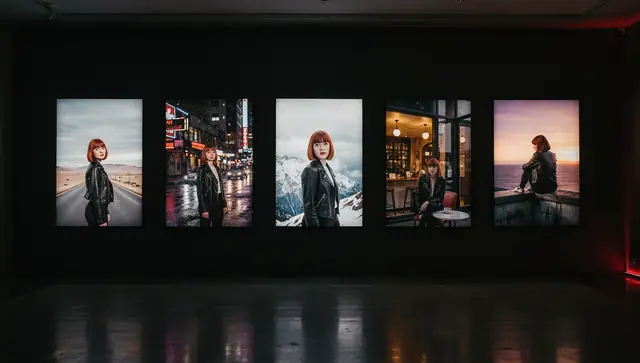
In our pipeline, every LoRA gets a test grid of scenes (studio shot, street, close-up portrait, interior) before any volume generation starts.
Rights: whose face and whose character
- A real person: only with their consent. We do not train LoRAs on celebrities, public figures or “looks like” requests.
- No adult content, with a LoRA or without.
- Photos have owners too. Make sure you have the right to use them, especially professional shoots.
- A mascot or brand character should be yours or properly licensed.
- The base model and checkpoint have licenses that affect commercial use; see our guide to Civitai model licenses for commercial use.
When it is easier to hand it to us
For experiments, training a LoRA yourself makes sense. When the character is needed in hundreds of images or videos, most of the time goes into the dataset, captions, testing and generation runs.
How it works with us: you send 5–25 photos and describe how the character will be used. We prepare a caption for every photo (you can correct them before training starts), train an SDXL LoRA with kohya and show you the test grid. After approval, the LoRA goes into your generation workflow: a trial batch first, then volume, with manual review of the output.
Character, mascot or product LoRA training starts from $99 one-time. Details are on the character LoRA service page, or send a request through the form.