Bulk AI image generation is worth ordering when the look is already settled and you need it hundreds or thousands of times: a catalog, a character in every pose, a library of backgrounds in one art direction. GoraGen is an AI image generation service that does this on your own checkpoint and LoRAs, inside your ComfyUI template, on our GPUs. It is done for you: our team installs the template, agrees a test batch with you, runs the full volume, reviews the results by hand and delivers a sorted archive.
You keep the decisions that shape the result: the model, the prompts, what counts as a defect. We take the parts that take most of the time: installing nodes and models, spreading the job across GPUs, filtering, naming and packing files.
What teams mass generate AI images for
- Catalogs and listings. One product line or category shown in many settings and compositions. If the job is product photography for a full SKU range, there is a separate page: AI product photos.
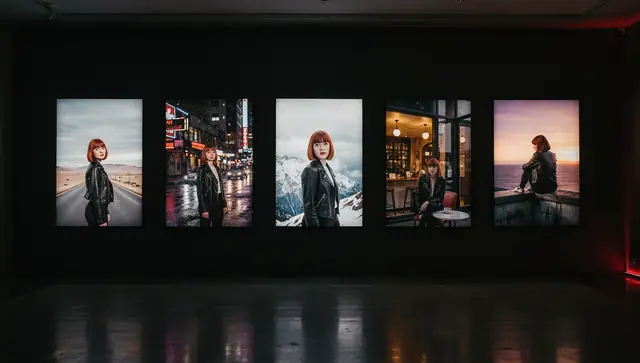
- Characters and mascots. The same character in dozens of poses, outfits and scenes for posts, stickers, comics or packaging. No LoRA for the character yet? We can train one.
- Backgrounds and environments. Sets of interiors, streets, landscapes or textures in one style for games, video and design.
- Variations of one look. An approved image turned into a series: other poses, angles, lighting, seasons, colorways, products.
- Social media sets. A month of posts in a single visual language, exported in each platform’s format. Ad creatives for split tests are a separate service: ad creative variations.
Your checkpoint and LoRAs, not a generic model
Closed image generators give you a prompt box and pick the model for you. You can’t load your own weights, the model can change under you between sessions, and keeping one character’s face across 500 images turns into wrestling with the prompt. For a single picture that is fine. For a series it is the main source of drift.
On your checkpoint (SDXL, Flux or another one specified in your template), with your LoRAs and locked settings (sampler, steps, CFG, resolution, LoRA strength), the thousandth image comes out of the same pipeline as the first. Consistency comes from what stays fixed, not from a clever prompt: only the variable parts change from image to image.
What we need from you:
- the ComfyUI workflow: a link to Civitai, OpenArt or GitHub, or your own
.json; - the checkpoint and LoRAs: links to Hugging Face or Civitai, or a direct download link for private files;
- the task and the inputs: prompts, reference images, product photos;
- the volume and the formats you need.
Custom nodes are installed from git on pinned commits. Unknown nodes and models without a version are inspected by hand before anything runs. If a model is paid, closed or its license does not allow commercial use, we tell you before the start; the guide on using Civitai models commercially shows how to check this yourself. How the template setup itself works is described on the ComfyUI workflow service page.
How batch AI image generation keeps a thousand images consistent
A template for a batch has two layers. The fixed layer: checkpoint, LoRA and its strength, sampler and steps, resolution, negative prompt and the style part of the prompt. The variable layer: slots that change from image to image. Every combination of slot values is one row of the prompt matrix.
| Slot | Values | Examples |
|---|---|---|
| Pose | 10 | standing, sitting, walking, over the shoulder… |
| Background | 10 | studio, street, café, park… |
| Product or outfit | 5 | five items from the line |
| Seed | 2 | two variants of each combination |
10 × 10 × 5 × 2 = 1,000 images. Every one is different in pose, place and item, and every one is drawn by the same model with the same LoRA and settings, so together they read as one series.
A few practical points:
- Seeds give variation inside a single combination: the same prompt with another seed produces another composition in the same style. The seed goes into the file name, so a frame you like can be taken back into work with a tweaked prompt.
- Not every combination makes sense. A winter coat on a beach, a sitting pose for a product that is meant to be held in hand. We clean such rows out of the matrix with you before the run, or give some slots more weight than others.
- Input images are slots too. If your template takes a picture, such as a product shot or a pose reference, the list of pictures becomes one more column in the matrix.
- You can send the prompts ready-made or only the values for each slot; we assemble the combinations and show them to you before the run.
Small and test orders run on our own GPUs; large ones run on rented GPUs, several instances in parallel. A cold start of a new instance takes minutes, which you notice on a short job and don’t on a long one. The mechanics of splitting a job are in the guide How to scale a ComfyUI workflow to thousands of generations.
Test batch before the full run
- Brief. You send the template, model links, inputs, volume and formats.
- Setup and test batch. We install everything and generate a sample across different rows of the matrix, enough to see the spread of poses and backgrounds rather than one lucky image.
- Your feedback. Style, composition, LoRA strength, and what counts as a defect for this job.
- Full run. Only after you approve the test batch. The price per image and the timeline are agreed at this point, when the real cost of your template is known.
The test batch is where problems are cheap to fix: a LoRA set too strong that burns out detail, a background slot that clashes with the style, a resolution too low for print. Setup and the test batch are included in the order.
Manual filtering of defects
At volume, even a good template produces a share of broken images. Results are reviewed by a person; there is no automatic AI scoring in the loop. What we take out:
- hands: extra or missing fingers, fused hands, impossible grips;
- faces: asymmetry, broken eyes, a character drifting away from its LoRA;
- artifacts: merged objects, extra limbs, seams, noise, smeared details;
- text: garbled letters, fake signage, pseudo-watermarks;
- off-brief frames: the pose or the background doesn’t match its matrix row.
Criteria depend on the job and are fixed on the test batch: for a background library a slightly odd detail in a corner may be acceptable, for a catalog it is not. One honest limit: image models do not write exact text reliably. If the images need prices, logos or slogans, it is safer to place them in layout after generation.
Delivery: formats, file names, aspect ratios
- PNG for further editing without loss, or JPG for lighter files on the web.
- File names built from parameters, for example
sku-014_bg-studio_pose-03_seed-2.png, so the set is easy to sort, filter and match to your catalog. - Folders by the slot you choose: by product, by character, by format.
- ZIP archive or a link to a folder in cloud storage with a CDN.
- Aspect ratios 1:1, 4:5, 9:16 (1080×1920) and 16:9. Name the formats before the test batch: a frame composed for 9:16 from the start usually works better than a cropped square, where the subject can get cut off.
If the images are meant to become video later, the next step is bulk image-to-video.
Price per image and a 1,000-image example
Bulk image generation starts from $0.10 per image, on any checkpoint and LoRA. Setup and the test batch are included; the minimum order is $50.
Example: 1,000 images × $0.10 = from $100. 5,000 images: from $500.
“From” is the floor. The price per image follows GPU time, and GPU time grows with:
- resolution: a larger frame takes longer to generate;
- upscale: every extra pass adds time to each image;
- a complex workflow: several sampling passes, ControlNet, face and hand detailers, several models in one graph;
- heavy models: large checkpoints need more video memory and more time per image.
The final price per image is fixed after the brief and the test batch, when your template has actually run and we know how long one image takes.
Order a batch
Send the template, the model links and the volume through the request form. We’ll come back with questions, set up the test batch and name the price before the full run. If you don’t have a template yet, describe the task in the form and we’ll discuss the options.